This from my friends and colleagues at Sellerdeck Ltd, passed on with acknowledgement and thanks. 
You may know that Google announced new data retention settings which take effect for Google Analytics users on the 25th May.
Any user or event data that is older than your retention setting will be permanently deleted.
The steps below show how to change the settings so that your data is held for the length of time you require.
Sign into Google Analytics and click Admin (the cog)
Under the Property column, click on Tracking Info, Data Retention
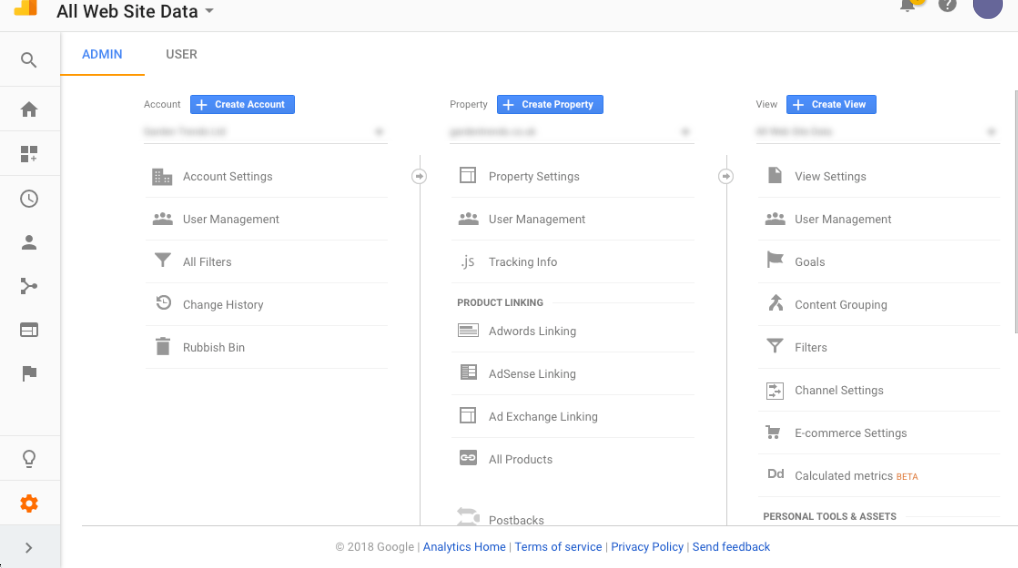
In Data Retention, choose the length of time to keep the data (we recommend Don’t automatically expire) and click Save
What does this mean for you?


Ultimately, these changes will affect how you use Google Analytics.
The Retention period applies to user-level and event-level data associated with cookies, user-identifiers and advertising identifiers
The data managed by this setting is needed when you use certain advanced features
Call the Sellerdeck Sales team on 01932 358350
© 1996-2018 Sellerdeck Ltd

Keep in touch and share
Graphicz on Social Media
01323 872296. 07836 551000.
Email: