Paypal have changed their user interface and it can prove quite tricky to find the credentials to set up PayPal Express Checkout on your Sellerdeck website.
Here is how it is done.
Login to your PayPal account
In the menu bar across the top click tools then from the dropdown click ‘All Tools’.
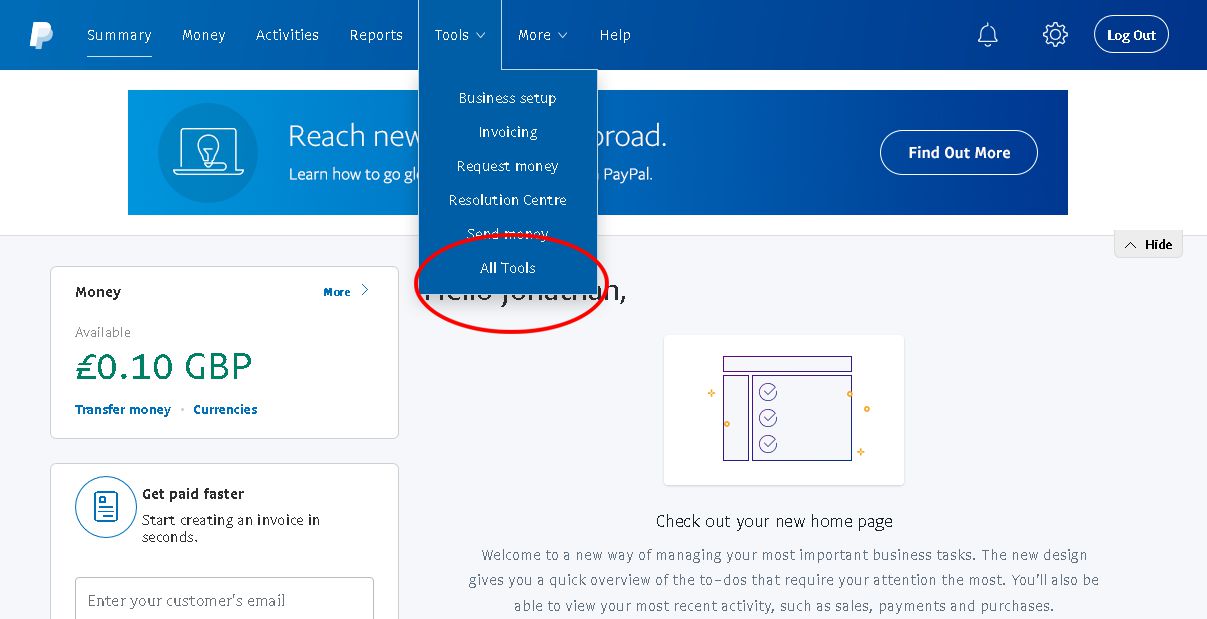
From the five boxes displayed click Business Setup in the bottom row

Click ‘Option A’ then Click ‘Setup API Access’
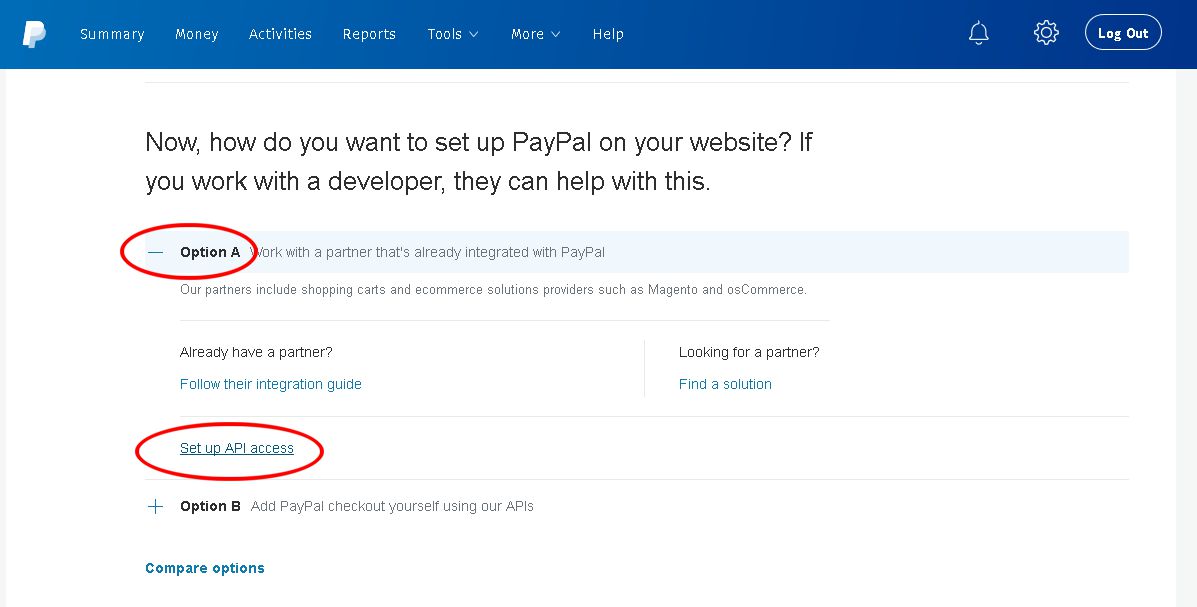
On the page that opens scroll down to ‘NVP/SOAP API integration (Classic)‘
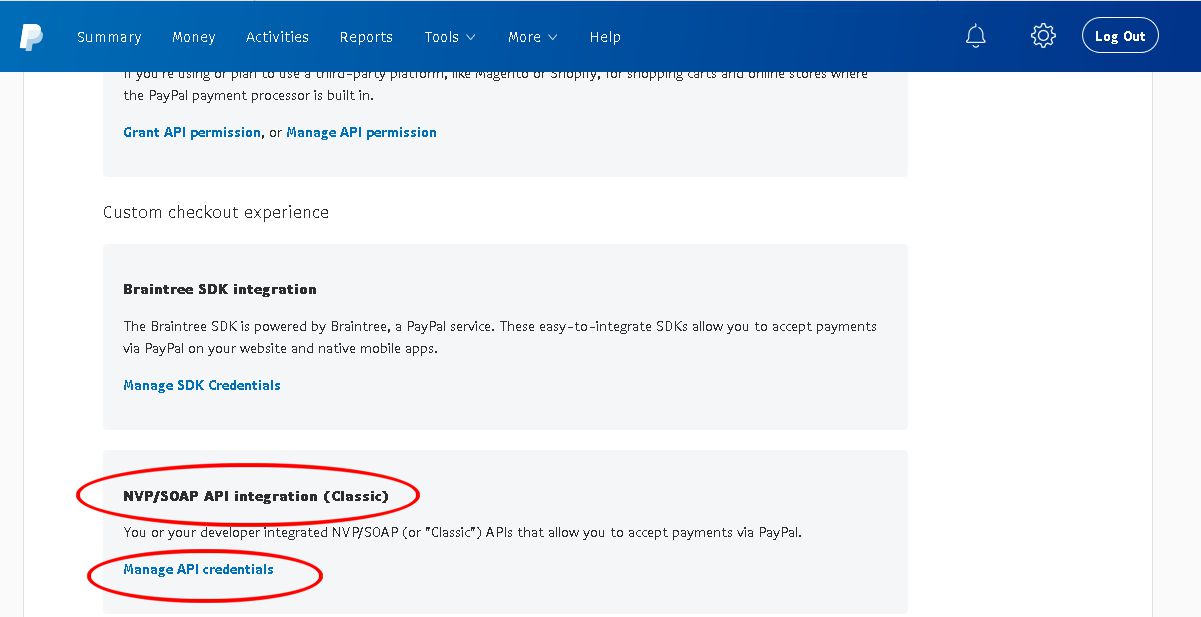
Click Manage API credentials
You are now in a page with the familiar old Gold Title Text!
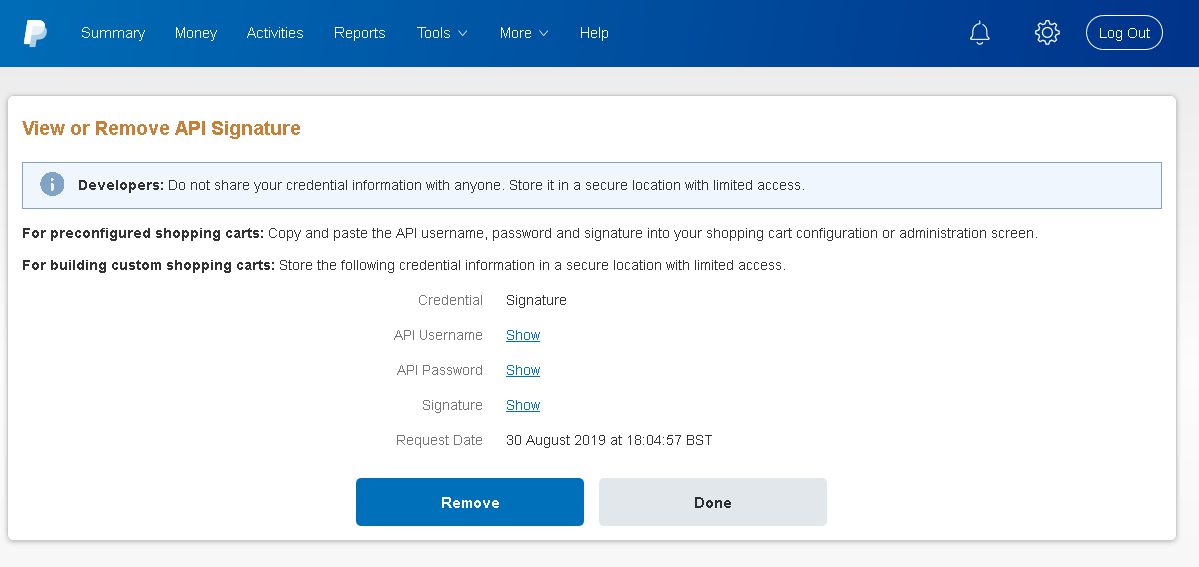
The three things you need are here:
Credential — Signature
API Username — Show
API Password — Show
Signature — Show
Click ‘Show’ to reveal and copy into the configuration box for PayPal Express Checkout within Sellerdeck (Don’t-click show here – it won’t work!)
PayPal Website Payments Pro
For PayPal Website Payments Pro which costs £20 per month go to: https://www.paypal.com/uk/webapps/mpp/paypal-pro
Fill in your details and press submit and someone will call you back in a day or three. You will get this email after submitting the request:
“Thank you – we’ll be in touch soon
What happens next?
We’ve got your information and our support team will be in touch by the end of the next business day to discuss how to complete your application.
We may require some additional information about your business, and we’ll also help with getting PayPal set up on your site and any other needs you might have.
If you have any questions about setting up your account, please call 0800 368 7177″
it would be wiser to choose the ‘PayPal Website Payments Pro Hosted Solution’ as in 18 months time (or when the FCA eventually decide) it may well be that ‘PayPal Website Payments Pro’ is not PSD2 compliant.

Keep in touch and share
Graphicz on Social Media
01323 872296. 07836 551000.
Email: