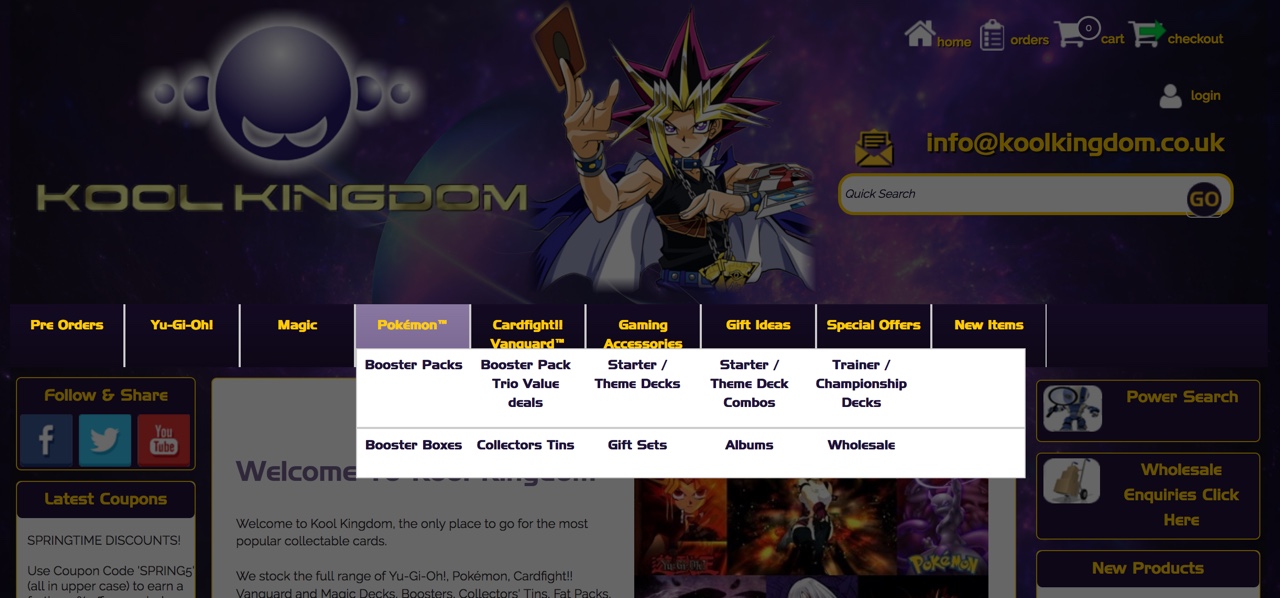
Opening Mega Menu in a ‘Lightbox’.
There is a bit of a trend for the opening of mega menus in a ‘Lightbox’ type effect.
This is easy to do with SellerDeck.
1. Paste this into your css:
#mm-nav-overlay {
position: fixed;
top: 0;
left: 0;
width: 100%;
height: 100%;
z-index: 211;
display: none
}
2. In responsive outer layout just before
<div class="navigation-bar">
paste:
<style>
#mm-nav-overlay {
background-color: #000000;
opacity: 0.6;
-ms-filter: "progid:DXImageTransform.Microsoft.Alpha(Opacity=60.00000238418579)";
}
</style>
<script>
$(document).ready(function() {
$("#mega-menu").mouseenter(function() {
$("#mm-nav-overlay").toggle();
}).mouseleave(function () {
$("#mm-nav-overlay").hide();
});
});
</script>
Open the Mega Menu layout and at the end, just after
</div><div style="clear:left"></div>
paste:
<div style="display:none;" id="mm-nav-overlay"></div>
Enjoy!
Here it is in a responsive Sellerdeck website I designed for Kool Kingdom:
Enjoy!

Keep in touch and share
Graphicz on Social Media
01323 872296. 07836 551000.
Email: